🎙️
Voice dictation
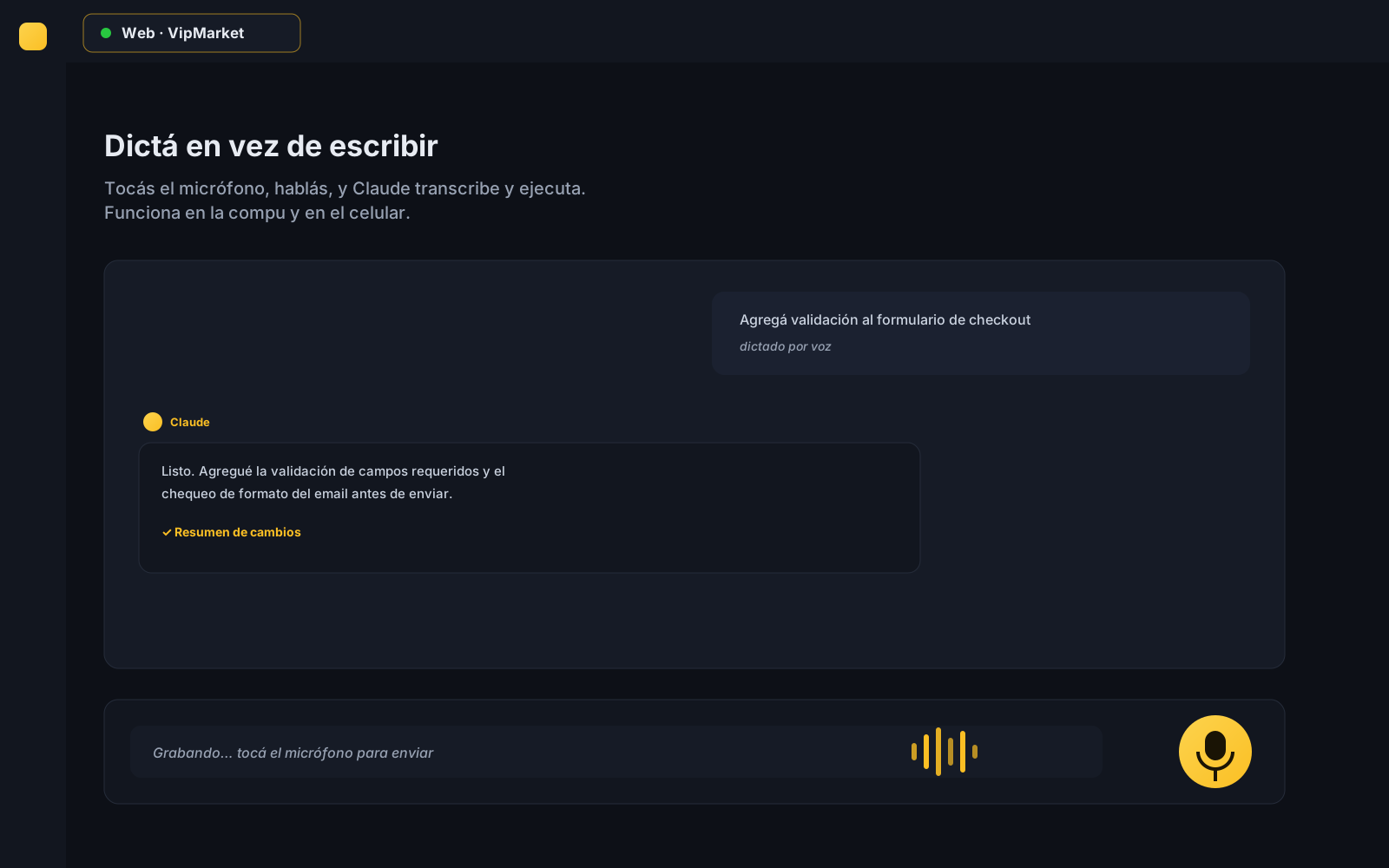
Speak and Claude transcribes and runs it. Great from your phone or when typing gets tiring. Own engine, no third-party services.
Claude Station turns your Claude Code subscription into a full workstation: tabbed chat, voice dictation, mobile access, scheduled tasks and team coordination with tickets. It runs on your own subscription: no API, no per-token cost.
Free to start · Try Pro for 30 days, no card · Requires Claude Code installed
It uses your Claude Code plan. No API, no usage charges: what you already pay, doing more.
Install, create your free account and you're working. If you're missing Claude Code, the app helps you install it.
The same work on your computer and your phone, in sync and with voice dictation.
The terminal is powerful, but falls short for all-day work. Claude Station adds what was missing.
Speak and Claude transcribes and runs it. Great from your phone or when typing gets tiring. Own engine, no third-party services.
Follow and command your projects from your phone, with a private, stable address. Native Claude lives in the terminal; here you carry it in your pocket.
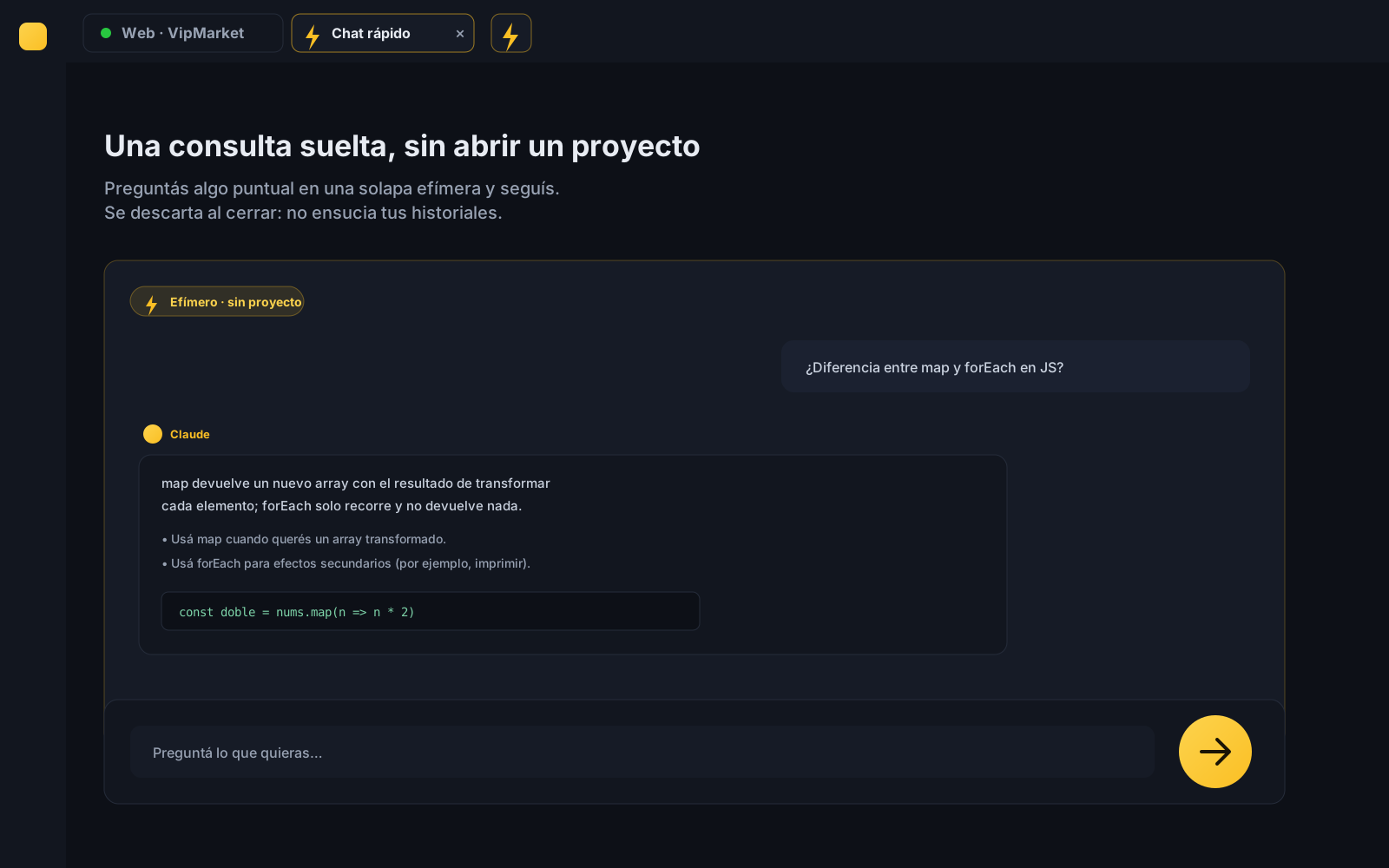
A one-off question without opening a project: ask something in an ephemeral tab and move on. Like having Claude always at hand.
Leave tasks running on their own at the times you set, without babysitting them. Automation the CLI doesn't offer.
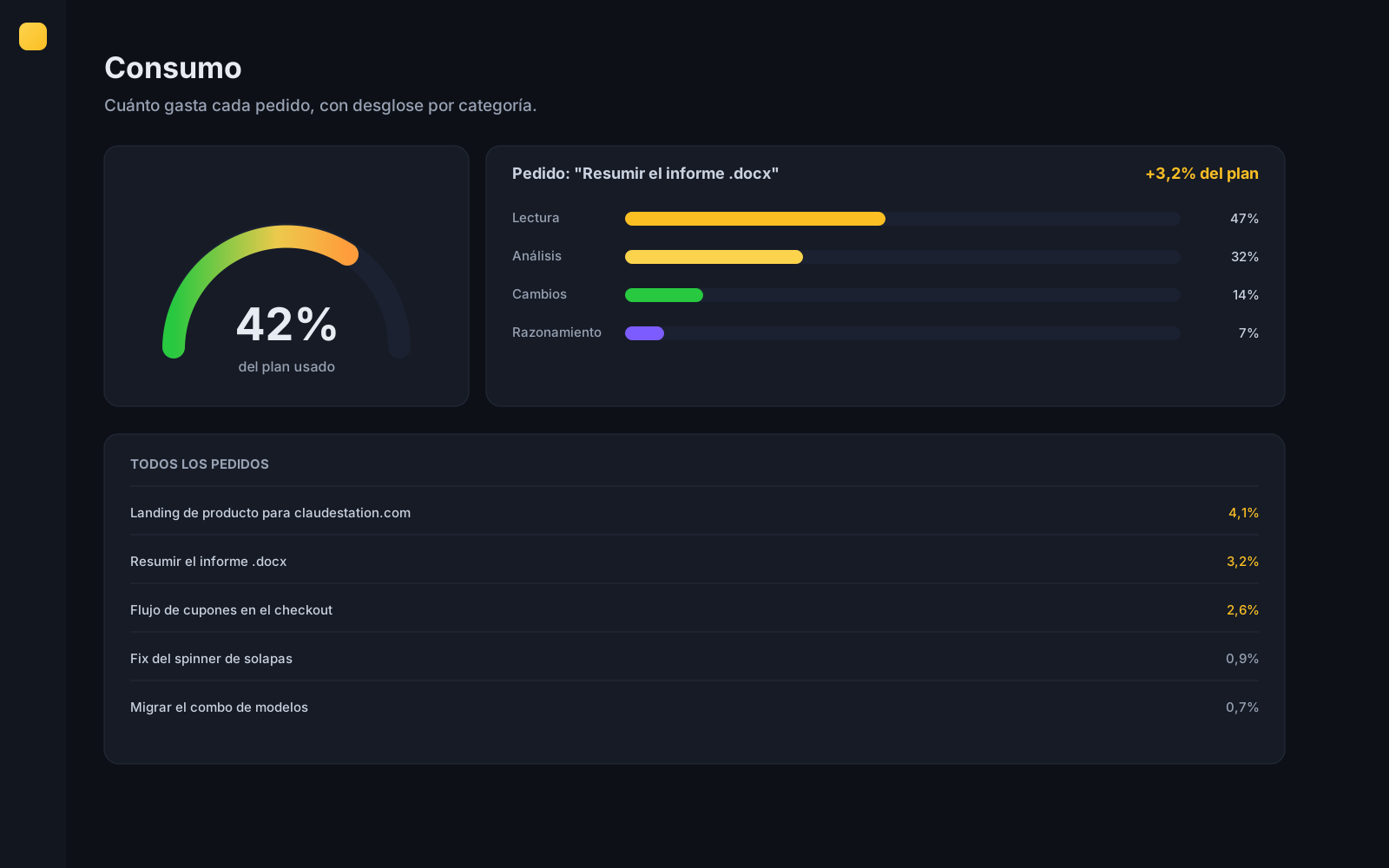
See how much each request spends —reading, analysis, changes— and how much of your plan you've used. Optimize with data, not blindly.
The PM loads tickets from the web, they land on the dev's Kanban board, Claude resolves them and updates the status. Jira, with Claude inside.
Claude keeps the project documentation up to date as the code changes. No more stale docs.
Anti-tamper hardening, per-project permissions and server-side signed updates. Built for production.
If you work solo or freelance, Claude Station gets you out of the raw terminal and into a tool built to produce.
Start freeAsk for changes by voice from your computer or phone. It transcribes and runs on its own.
Start a project on your desktop and continue it on your phone, in sync.
See how much each request spends and how much plan is left, so month-end holds no surprises.
One tab per project, history with memory and quick chat for the loose stuff.
Claude Station brings working with Claude to the team level: requests, board, roles and visibility, without leaving the tool.
The PM loads the request on the web, it lands on the dev's Kanban and Claude works it and moves the status.
Owner, PM and developer, each with their view. The PM takes no seat and works from the browser.
Admin panel, per-company seats and clear billing. Add and remove people whenever you want.
Project knowledge lives in the team, not in a single head. (Coming soon.)
A desktop interface built for comfortable work, not a raw terminal.
The CLI's native tools, with a visual interface that makes them easy to use.
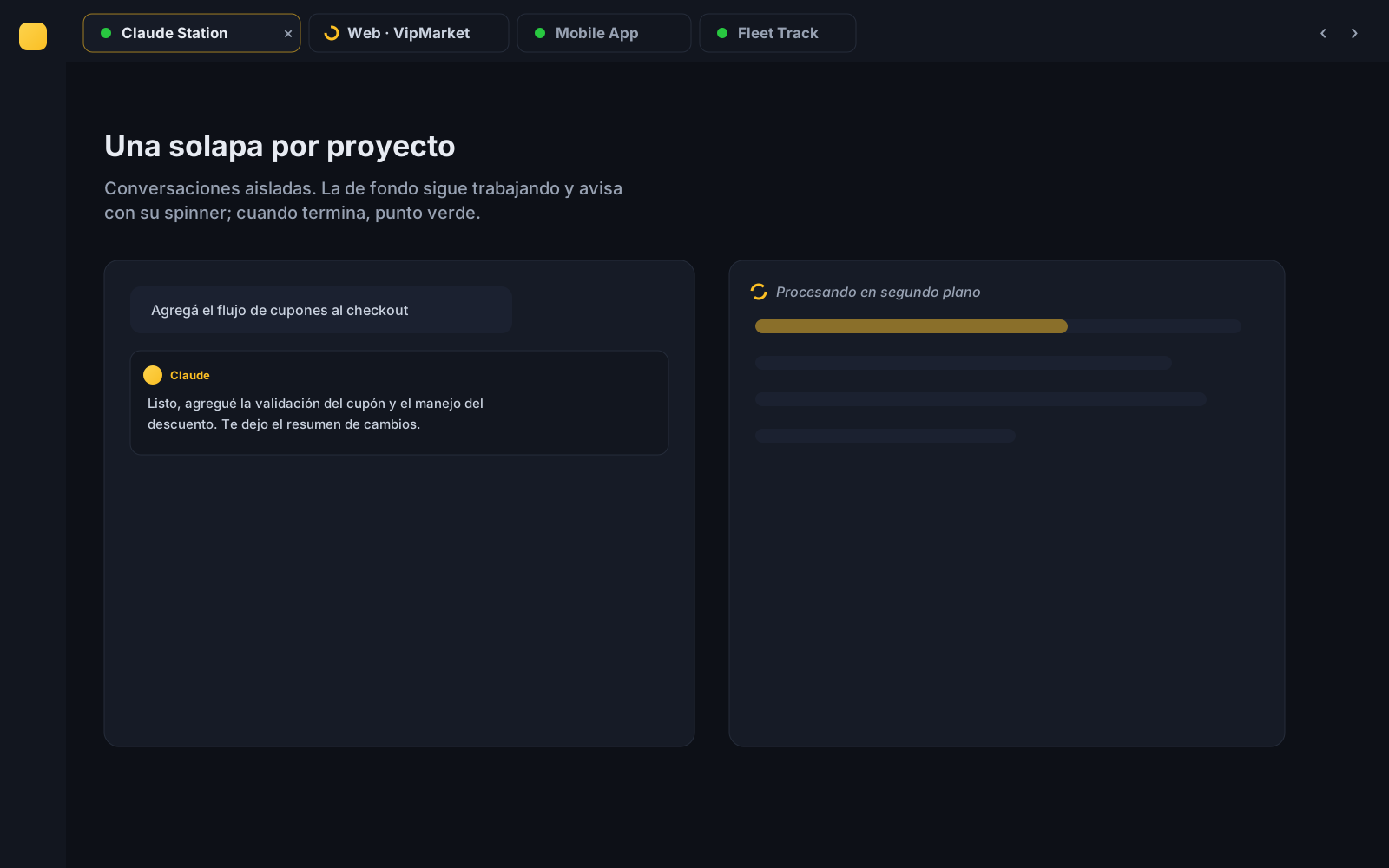
One tab per project, isolated conversations with no mix-ups. Browser style.
Scan folders, add workspaces and jump between projects with one click.
Pick up any past conversation with its context and memory intact.
Create and use your own commands and skills with a step-by-step visual wizard.
Add MCP servers and plugins to extend what Claude can do.
Define what Claude can do and automate actions with hooks, from the interface.
Start free and try Pro for 30 days, no card. Upgrade whenever you want voice, mobile access, automation or teamwork.
forever
You create your account for free when you open the app.
billed monthly
Minimum 3 seats
Download the app, create your free account and activate your plan inside Claude Station with secure payment by Paddle. Cancel anytime. See refunds and cancellations.
What everyone asks before installing Claude Station.
Claude Station is a desktop graphical interface (GUI) for Claude Code, Anthropic's coding agent. It replaces the terminal with an app featuring tabbed chat, projects, history with memory, voice dictation, mobile access, scheduled tasks and tickets for teams.
No. Claude Station runs on your existing Claude Code subscription (Pro or Max). It does not use the Anthropic API, you don't need an API key and there is no per-token cost: what you already pay, doing more.
Yes. With Claude Station you can follow and command your Claude Code projects from your phone's browser, with a private and stable address, live sync with your desktop and voice dictation.
Yes, there is a forever-free plan with tabbed chat, projects, history, skills, MCP and plugins. You also get a 30-day Pro trial with no card. Paid plans add voice, mobile access, automation and teamwork.
Claude Station is available today for Windows (64-bit). macOS and Linux versions are in development. From your phone you access it via the browser, nothing to install.
No. Claude Station is an independent tool that builds on your Claude Code installation and subscription. It is not affiliated with Anthropic.
Everything the CLI doesn't ship: a visual interface with one tab per project, voice dictation, remote access from your phone, scheduled tasks (cron), a token usage panel, automatic documentation, interactive plan and decision cards, and Kanban-style tickets for teams.
Install, create your account for free when you open the app, and start working. Requires Claude Code installed.
Don't have Claude Code yet? Install it from Anthropic's official docs before opening Claude Station.